
Close every leak with the repair on record.
SensorUp matches each detection to its equipment and checks it against SCADA before a work order opens. Then it tracks the repair through to verification.
OGI survey detection
Valve V-22, compressor station 4
Agent
- Matched to V-22 on the asset record.
- No scheduled vent in SCADA at 06:40.
Recommended: open a repair work order.
Repair work order
Valve V-22
RepairedRe-survey clean ✓
Sample data
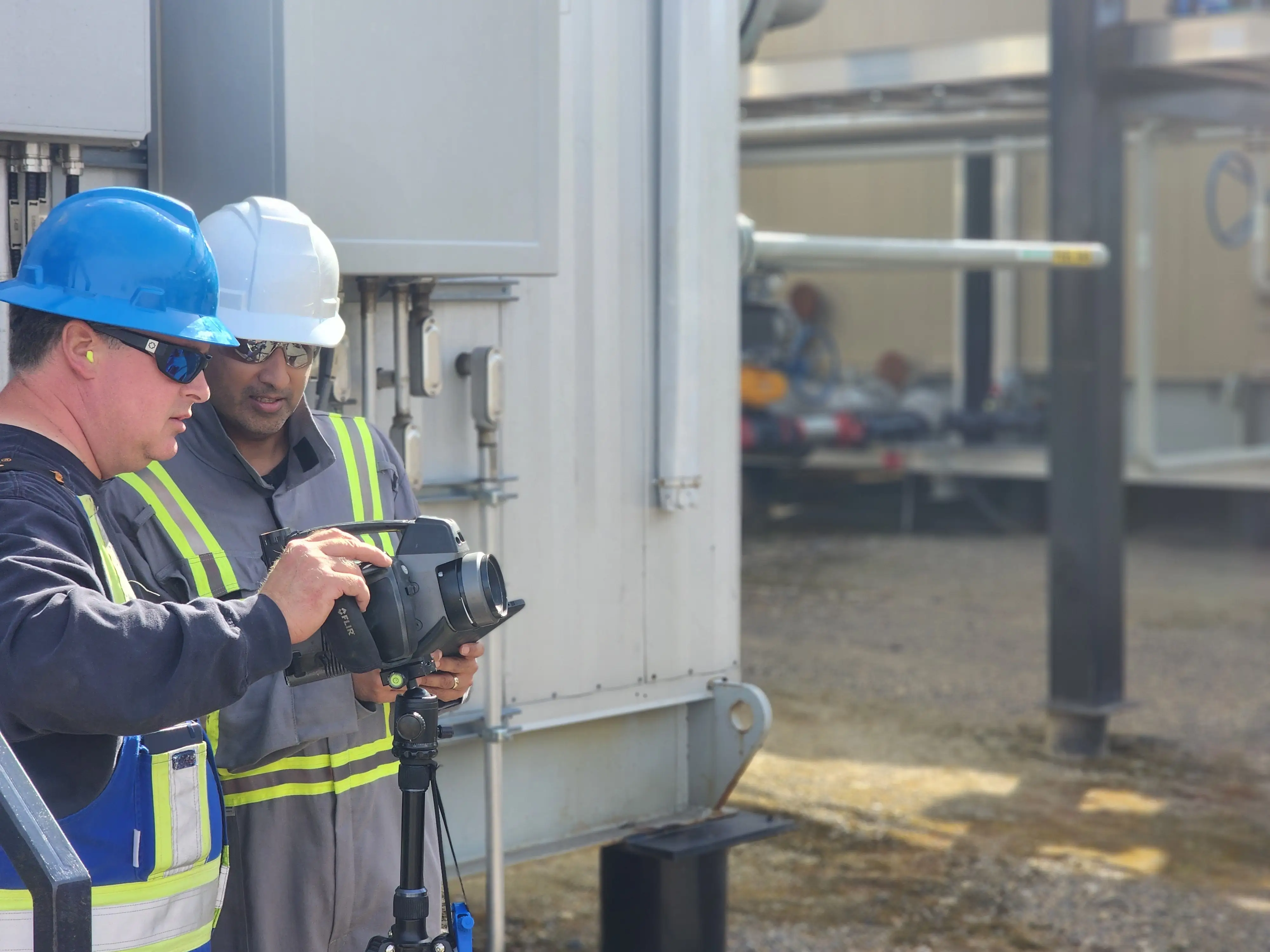
Give every detection an owner
A detection turns into an email, then a spreadsheet row, with no owner.
The camera operator sends an email. Someone copies it into a spreadsheet. The leak may get fixed, but months later nobody can show who fixed it, or when.
Count each leak once, whichever source found it
Three detections, maybe one leak, chased three times.
An optical gas imaging (OGI) survey, a continuous monitor and a satellite pass can all flag the same pad, days apart. Without one record behind them, your crew chases each one as new.
Defend every closure in an audit
A repair with no paperwork looks like no repair at all.
The repair happened, but the proof is a text message and a technician's memory. In an audit, an undocumented repair looks the same as an open leak.
Fits your stack
Connect the detection sources you already run
Bring OGI, continuous monitors and satellites onto one record
Every survey, alarm and satellite pass lands on the asset it observed.
Asset record
Valve V-22, compressor station 4
3 observations, side by side
Sample data
OGI cameras (FLIR, Opgal), continuous monitors (Project Canary, Qube, LongPath) and satellites (GHGSat, MethaneSAT, Planet) all land as observations on the asset. A continuous alarm, a quarterly survey and a satellite pass become records you can compare side by side.
consume: OGI, monitors, satellite → ObservationsRule out scheduled vents before a truck rolls
Each detection is checked against operating state before a work order opens.
Detection · 06:42
Tank T-04, pad 7
SCADA check
Scheduled blowdown, 06:30 to 07:00.
Kept off the dispatch list
Sample data
SensorUp reads your SCADA historians (PI, CygNet) over OPC-UA and Modbus. Each detection is checked against pressure, flow and valve state first, so a scheduled vent stays off the dispatch list.
consume: PI, CygNet ← OPC-UA / ModbusApply OOOOa/b/c and Appendix K the same way every cycle
OOOOa/b/c, Appendix K and the emission factors sit in the Reference Library.
Reference Library
- OOOObfugitive monitoring
- Appendix KOGI survey protocol
- Subpart Wemission factors
Sample data
The rules your program answers to sit in the Reference Library, with the emission factors behind them. Each one is open to inspection and applied the same way every survey cycle.
How it works
Follow every detection from the first alarm to a closed event
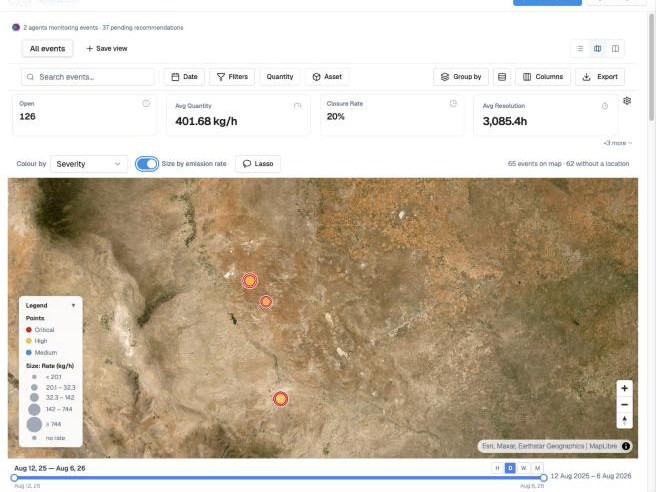
See every detection on the site it came from
OGI surveys, continuous monitors and satellite passes land on one map, matched to their assets. When two sources flag the same pad, you see one event with both readings behind it.
Sample data. Imagery © 2026 Esri and its licensors (Maxar, Earthstar Geographics). Used under license.
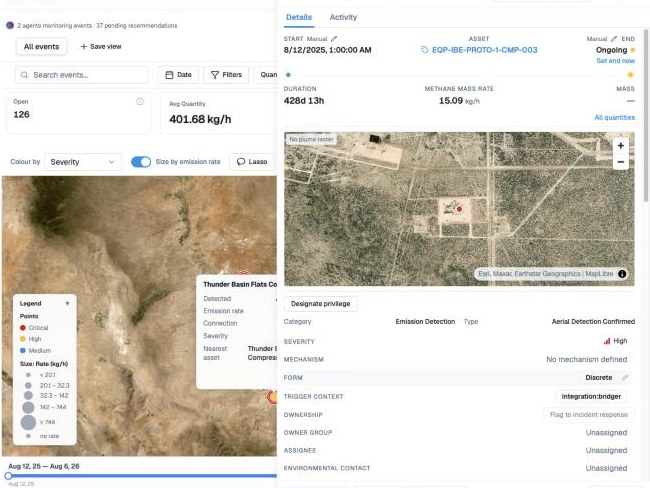
Get the context your team needs before dispatch
Each detection opens to its equipment, rate, severity and the readings behind it. When SCADA shows a scheduled vent or the operating state explains it, the detection closes with that reason on record. The ones that need field action go to a crew.
Sample data. Imagery © 2026 Esri and its licensors (Maxar, Earthstar Geographics). Used under license.
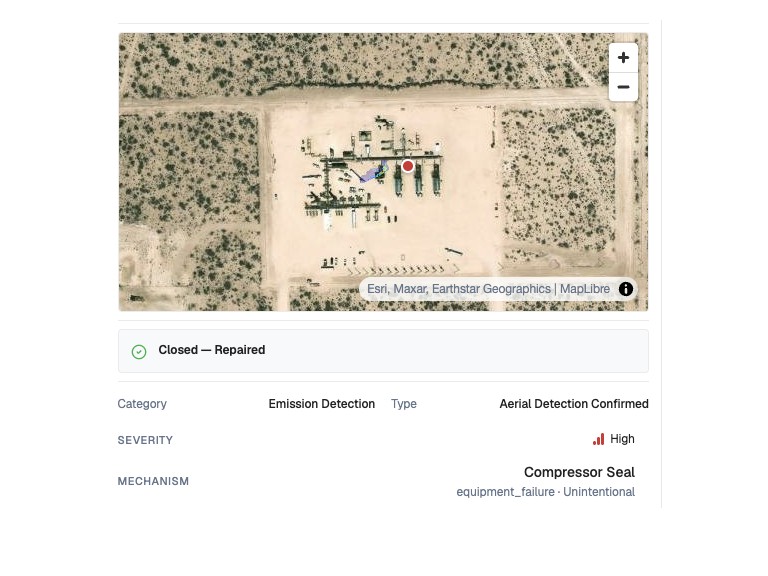
Assign the repair and keep the proof with the event
The fix goes out as an owned work order with an escalation path. The closure and the follow-up survey attach to the event, so the audit trail builds itself.
Sample data. Imagery © 2026 Esri and its licensors (Maxar, Earthstar Geographics). Used under license.
Built to your specs
Get a digital LDAR solution built around the program you already run
SensorUp builds the software around your survey schedule, your equipment and the rules you answer to. Add Cora, the copilot in SensorUp Autopilot, and a change to the program starts as a request in plain language. Cora drafts the change, and your team reviews it before it goes live.
- Build
- Ask for a survey form or a repair workflow, and Cora drafts it for your team to review.
- Triage
- Cora checks each new detection against open work and recommends the next step.
- Find the source
- Cora proposes which unit a detection came from, and shows its confidence.
- Check the evidence
- Cora pulls the readings behind each recommendation before it makes one.
Cora recommends, and a person approves.

Talk to an engineer
Bring your survey schedule and your detection stack. We'll walk through sources, dispatch and the audit trail against what you run today.