Fit to your operations to close more work.

Start from a finished SensorUp Solution, fit it to how your operation runs, or build the workflow you are missing, on a foundation your IT team can secure.
app.sensorup.com/workflows/reportable-detection
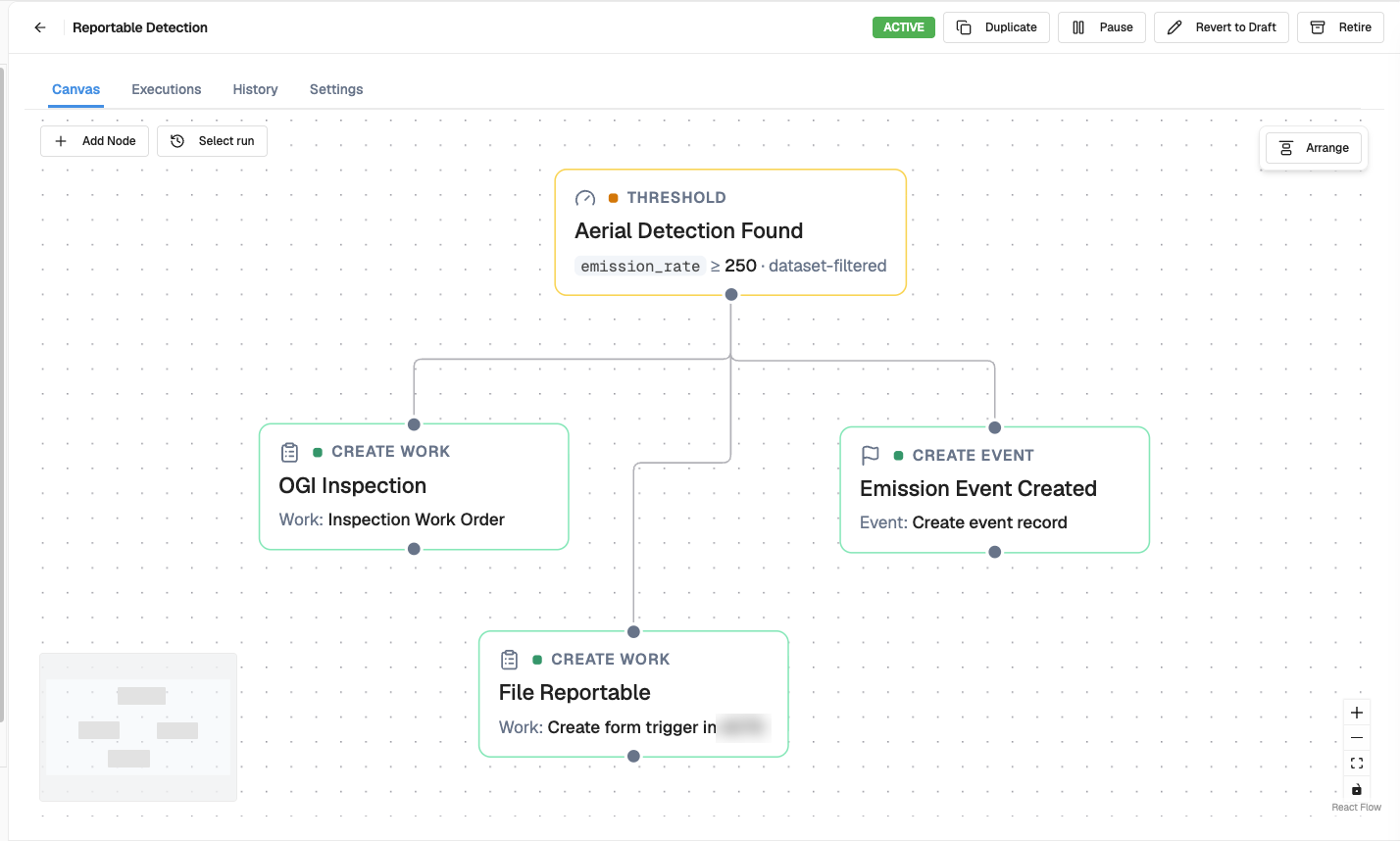
Four nodes, connected on the canvas. Sample data.
The Studio workflow canvas: a threshold node for an aerial detection above 250 connected to three action nodes that open an OGI inspection work order, create an event record and open a work item to file the reportable.Four nodes, connected on the canvas. Sample data.

How SensorUp Studio works

  1. Start with a pre-built Solution

    Most teams start with a finished SensorUp Solution, such as LDAR or EPA Subpart W. SensorUp builds it and maintains it.

  2. Customize to your operations

    Every operation does some of the work its own way. Your team changes those steps in SensorUp Studio to match.
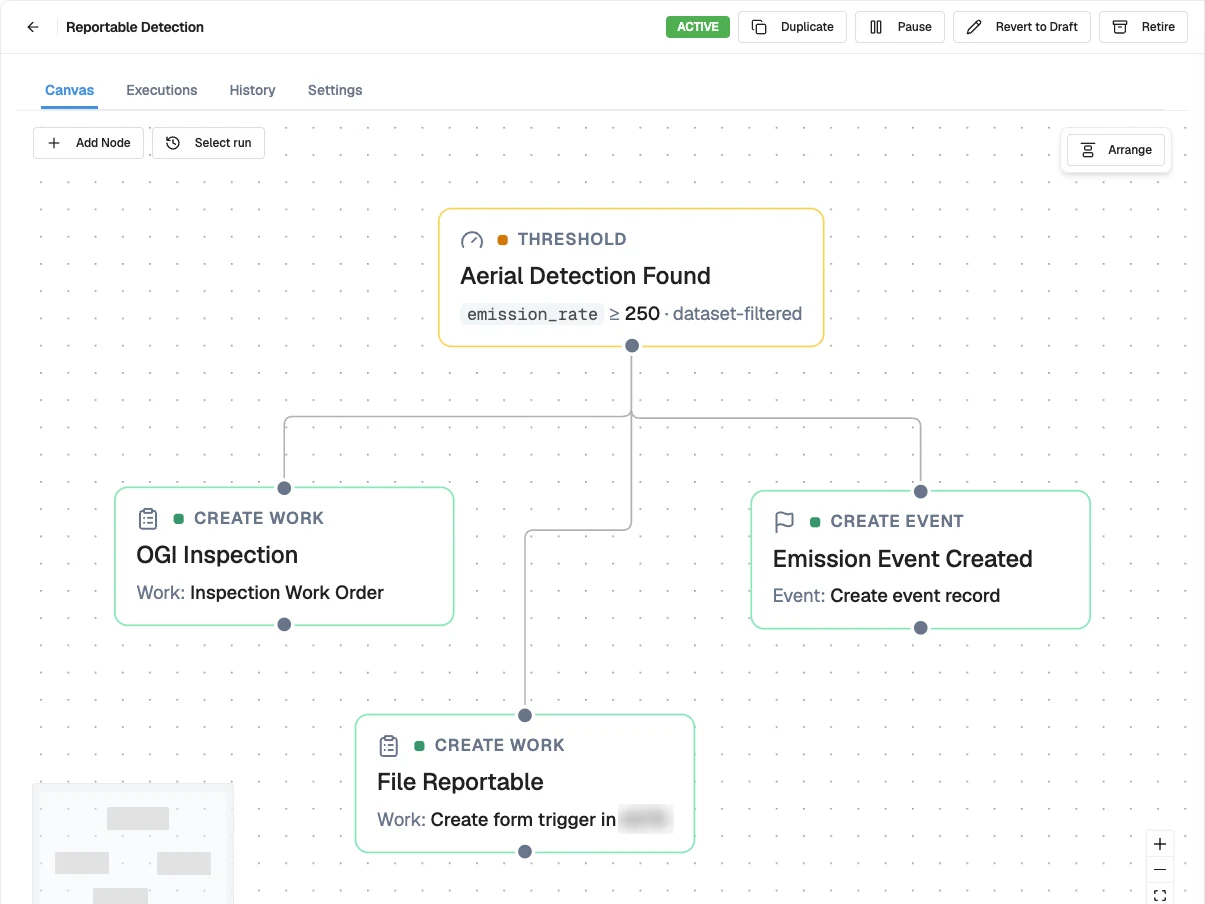
    A workflow in Studio: a threshold on aerial detections branches to an inspection work order, an event record and a reportable filing.
  3. Build what you need

    If no Solution fits, we build it with you, connected to the systems you already run. It uses the same components and asset record as everything else, and your team keeps changing it.

    Sample data
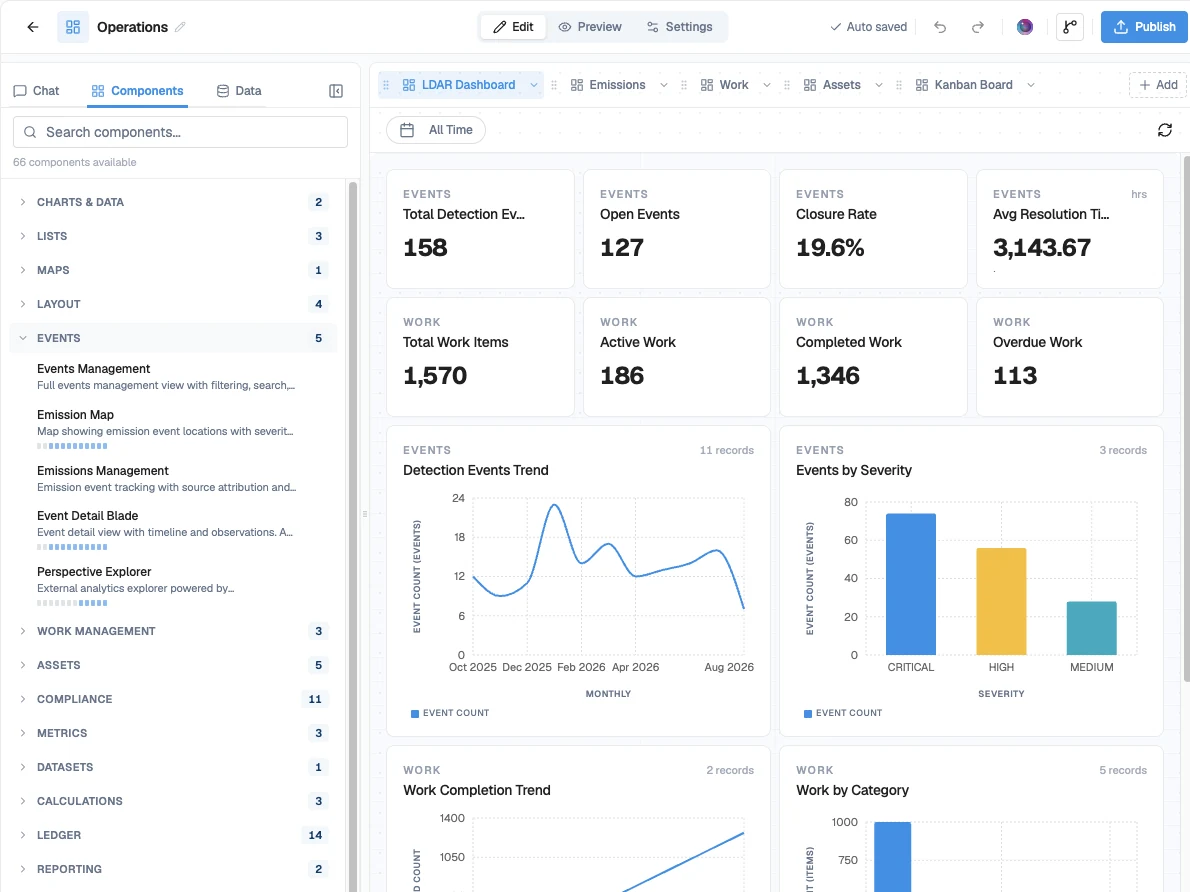
    The Studio builder: a library of 66 ready components, grouped into events, work management, assets, compliance and more, beside an LDAR dashboard built from them. Sample data.
A workflow in Studio: a threshold on aerial detections branches to an inspection work order, an event record and a reportable filing.
The Studio builder: a library of 66 ready components, grouped into events, work management, assets, compliance and more, beside an LDAR dashboard built from them. Sample data.

Fit our LDAR Solution to your operations

When you start with our LDAR Solution, you can customize it to fit your assets.

Your leak IDs
Your crews tag leaks in your own numbering scheme. Studio uses that format on every new leak.
Your work orders
Each repair goes to your ERP as a work order written your way, with the fields your planners expect.
Your closeout
When the repair is done, the closeout is documented on the leak record, ready for the regulator.

Your team can set this up in SensorUp Studio itself.

See the LDAR Solution

Shape Studio to how you see your assets

Most of the work in a new workflow is connecting your data to your assets and processes. SensorUp Studio starts with a flexible asset model, and we fit it to your operation with your team.

  1. Flexible asset model

    An asset model shaped to your operation

    Our asset model comes from years of work in oil and gas, and the relationships come built in. It maps to your assets at the detail you have today, from a list of facilities to every valve. We set it up with your team and go deeper when you are ready.
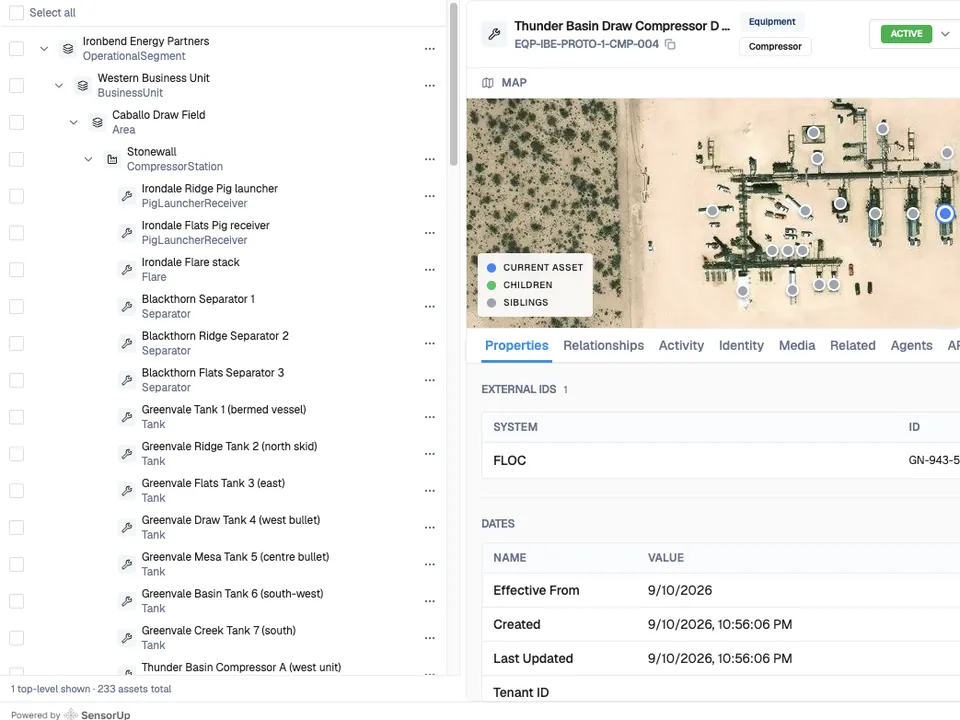
    The asset tree in Studio: Ironbend Energy Partners, an operational segment, contains the Western Business Unit, the Caballo Draw Field area and the Stonewall compressor station, down to its pig launchers, separators and tanks. Beside it, one compressor record with its site map.
  2. Context to act on

    Decisions come with their context

    Each event arrives on its asset, with its duration and rate. Cora proposes the likely source and its confidence, and a person decides.
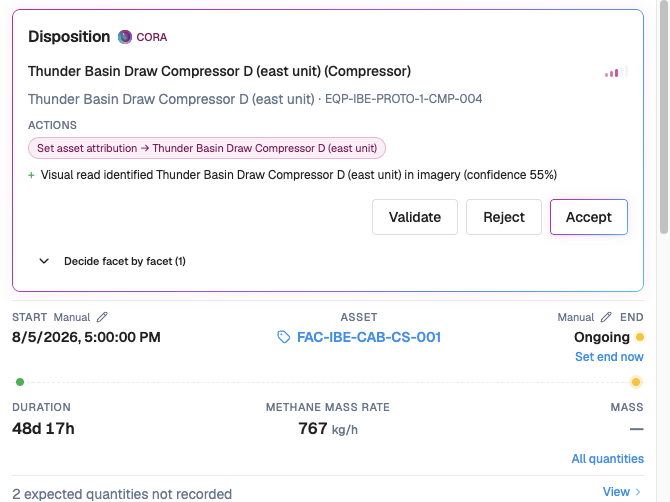
    Cora proposing the compressor a detection most likely came from, with 55% confidence and Validate, Reject and Accept buttons, above the event start time, asset, duration and methane rate.
  3. Asset hierarchy

    From the site down to the component

    Find a station on the map, zoom into its equipment, and open any unit’s record.

    Imagery © 2026 Esri and its licensors (Maxar, Earthstar Geographics). Used under license.

The asset tree in Studio: Ironbend Energy Partners, an operational segment, contains the Western Business Unit, the Caballo Draw Field area and the Stonewall compressor station, down to its pig launchers, separators and tanks. Beside it, one compressor record with its site map.
Cora proposing the compressor a detection most likely came from, with 55% confidence and Validate, Reject and Accept buttons, above the event start time, asset, duration and methane rate.

Compliant for everything you build

[ 01 ]Security

SOC 2 Type II and ISO 27001

SensorUp is ISO 27001 certified, with SOC 2 Type II monitored continuously. Your IT team reviews it once, for everything you build.

[ 02 ]Onboarding

Load the asset list from whatever you have

Studio proposes the templates and relationships. Your team reviews them before anything is written.

[ 03 ]Permissions

Set what each agent can write

Read and write access is set for each agent, one domain at a time.

[ 04 ]Approvals

Work orders and period closes wait for approval

Closing a reporting period or sending a work order to Maximo waits for a person to approve it.

Build it yourself, or bring in help

Most workflows start with your own operations team. The people you already work with build on the same modules.

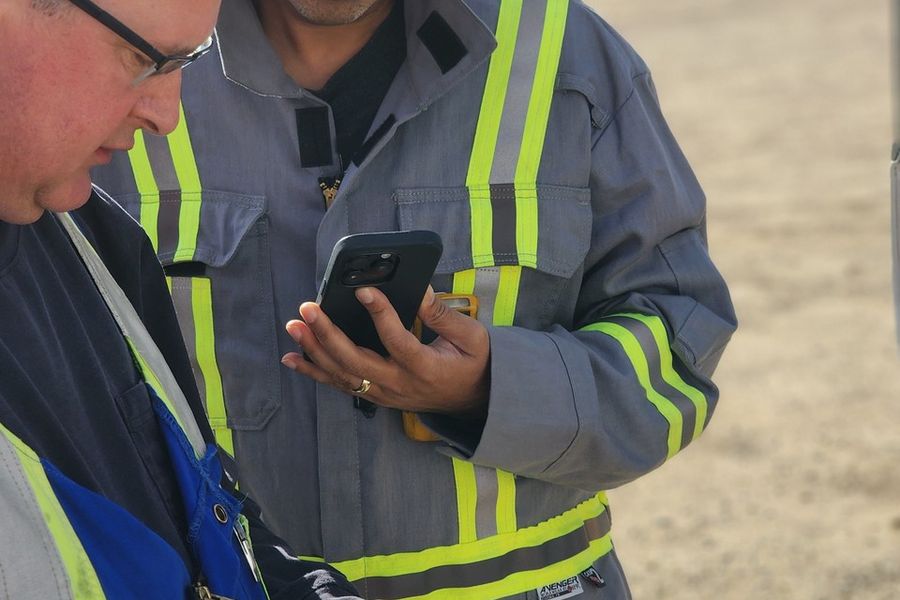
Two field workers in hi-vis coveralls at a facility, one checking a phone and the other working on a rugged tablet.

Closest to the work

Your operations team

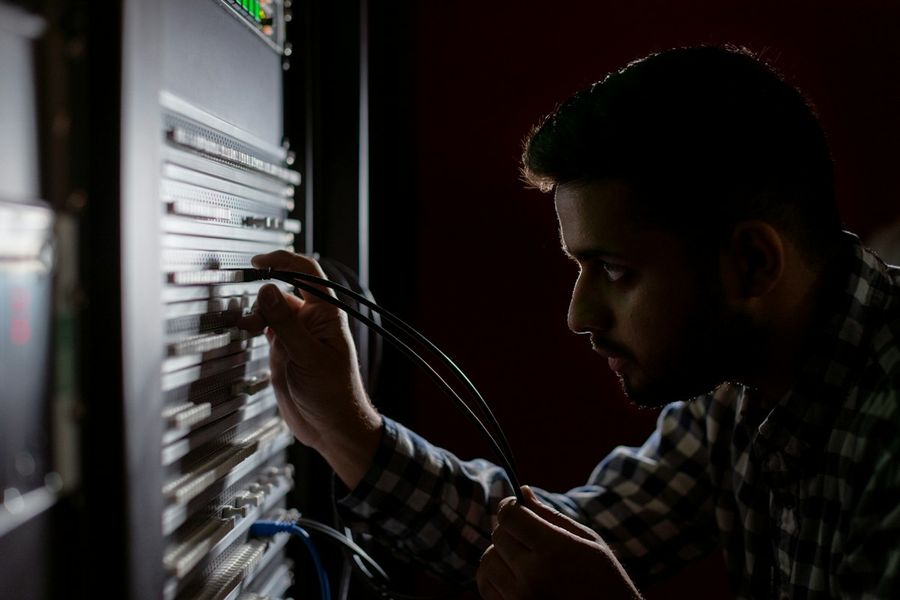
A technician connecting cables in a server rack.

Sets the boundary

Your IT team

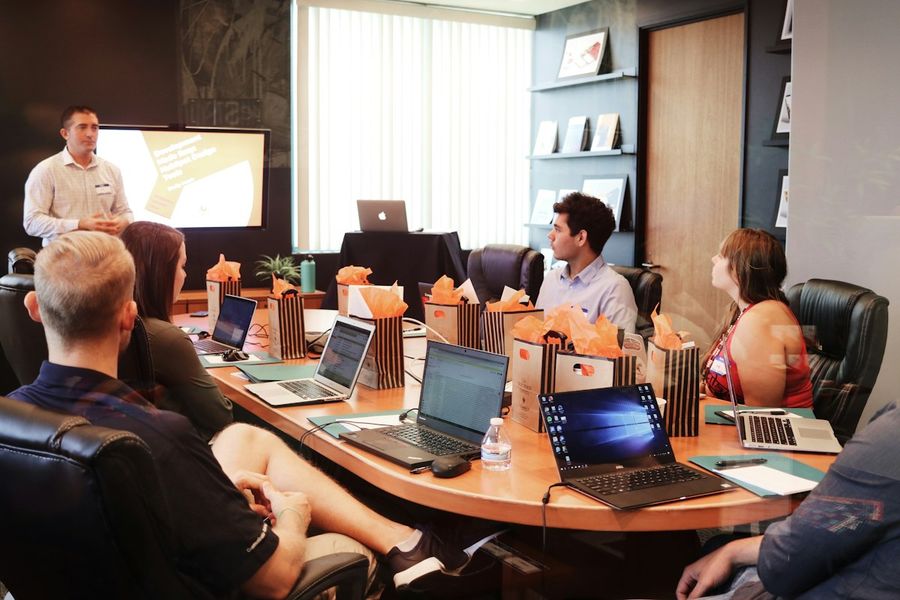
A consultant leading a working session at a table of people with laptops.

Program methods

Consultants

A survey drone flying over a forest.

Services and data

Partners

Two developers working on code at their monitors.

Products

Software vendors

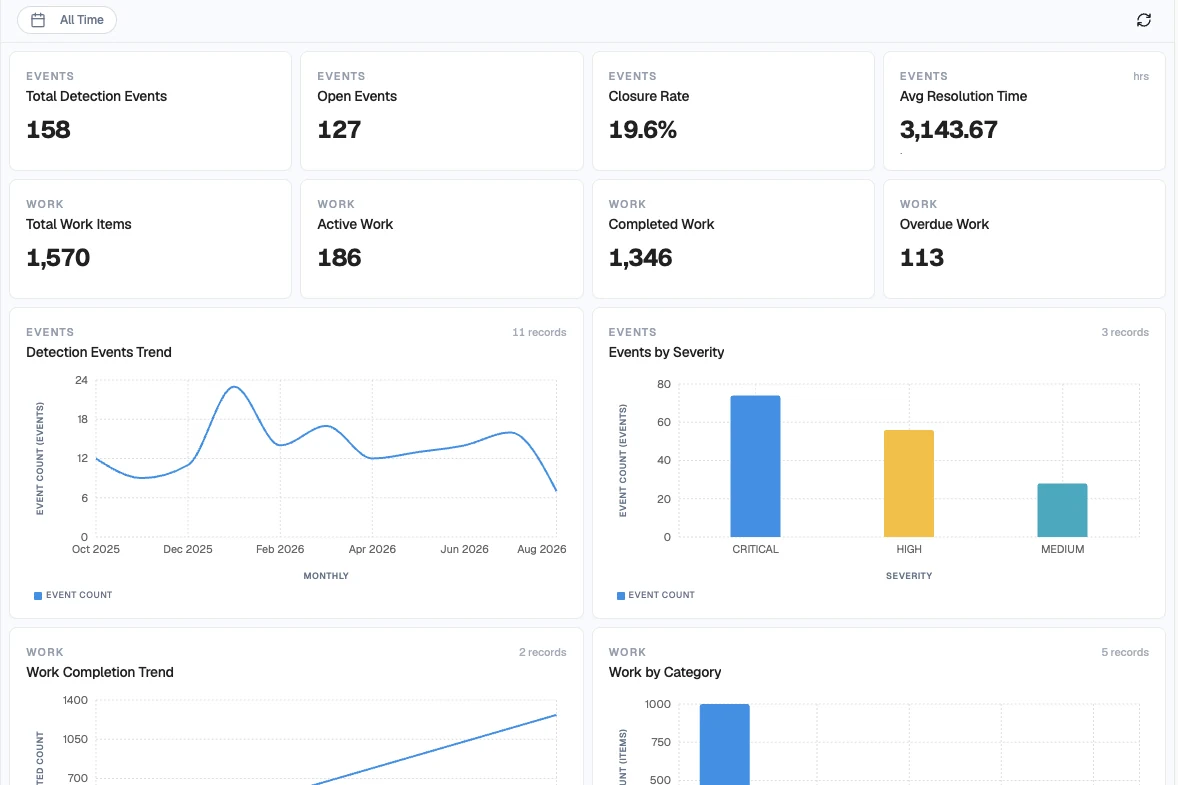
A finished SensorUp Solution: an LDAR dashboard with event and work totals, a detection trend and events by severity. Sample data.

Finished Solutions

SensorUp

Add Cora to anything you build

Cora is the AI assistant you can add to any Solution or Studio workflow. Cora recommends, and a person approves.

Build
Ask for a page or a workflow in plain language, and Cora drafts it on the canvas.
Triage
Cora checks each new event against open work and recommends the next step.
Find the source
Cora proposes which unit a detection came from, and shows its confidence.
Check the evidence
Cora pulls the readings behind each recommendation before it makes one.
app.sensorup.com/solutions/operations/builder
Ask Cora for what you need in plain language. It drafts the pages on the canvas, and your team reviews and publishes them. Sample data.
The Studio builder with Cora's chat open beside an LDAR dashboard. A request is typed into the chat: I need an LDAR workflow that supports OGI survey form fills, opens a repair work order for each leak found, and flags any repair that misses its deadline.Ask Cora for what you need in plain language. It drafts the pages on the canvas, and your team reviews and publishes them. Sample data.

Build your workflows faster with 18 pre-built modules

Drag modules onto the canvas and connect them. Nobody writes code.

[ 01 ]Data FoundationWHERE YOUR DATA LANDS
  • DatasetsStructured collections: OGI definitions, CEMS configs, satellite schemas, tag registries.
  • IntegrationsConnectors: SCADA (PI, CygNet), ERP (SAP, Maximo), satellite, continuous monitors.
  • RelationshipsEntity links across modules: Asset HAS Events, Work RESOLVES Event.
  • AssetsInfrastructure hierarchy: facilities, wells, compressors, tanks, valves, sensors.
  • Reference LibraryReusable factors, rule sets, methodologies, and equipment taxonomies.
[ 02 ]Logic and WorkWHERE THE WORK GETS DONE
  • CalculationsContinuous calculation engines: emission rates, intensity, KPIs, derived as readings land.
  • ScenariosModeling and forecasting: projections, trajectories, forecast-versus-actual variance.
  • MetricsTracked targets: KPI definitions, methane-intensity targets, performance metrics.
  • WorkflowsRouting, escalation, and scheduled or event-driven automation.
  • EventsLifecycle-tracked occurrences: emission events, pressure exceedances, incidents.
  • WorkProcess orchestration: issues, repair orders, LDAR sequences, escalations.
[ 03 ]GovernanceWHERE IT IS APPROVED AND FILED
  • ComplianceObligations and tracking: regulatory programs, schedules, and status.
  • ApprovalsMulti-stage review and sign-off across the record.
  • LedgersImmutable chain of custody: credit ledgers, audit trails, verification records.
  • ReportsAutomated reporting and document generation: OGMP 2.0 and ESG outputs.
[ 04 ]IntelligenceWHERE SOFTWARE DRAFTS THE ROUTINE
  • AgentsManaged, supervised agents that watch your feeds and draft the plan for a person to approve.
  • CoraAn add-on AI assistant for any Solution or Studio workflow. Cora recommends, and a person approves.
  • BuilderCompose a workflow with Cora's help, binding modules to your own equipment and data.

Try it: drag three nodes onto the canvas, then publish

app.sensorup.com/workflows/new

Add node

Drag a node onto the canvas, or tap it.

Drop a trigger here
Drop an action here
Drop an action here

0 of 3 nodes placed.

A simplified version of the Studio canvas, with sample data.
$schedule --workshop --bring your-hardest-problem

Come build a working prototype in two days

The workshop is free. Bring your hardest operations problem and a representative sample of your data. We scope it with your team on day one and walk you through a working prototype on day two.

SecurityTrust ↗